ly-helloworld App Pages

Job-site photo reports for iPhone
WorkProofCam app icon

Turn job-site photos into clear proof reports.

Capture timestamped before-and-after photos, keep every note tied to the right job, and export a client-ready PDF without a required account or cloud workflow.

Official website for WorkProofCam: Photo Report · App Store ID 6775852372 · Published on the App Store by Xuemei Huang (listed on the App Store as 雪梅 黄)

Free downloadPro available as a one-time purchaseNo subscription

  • Before-and-after proof
  • Timestamp and notes
  • Optional GPS and address
  • PDF report export

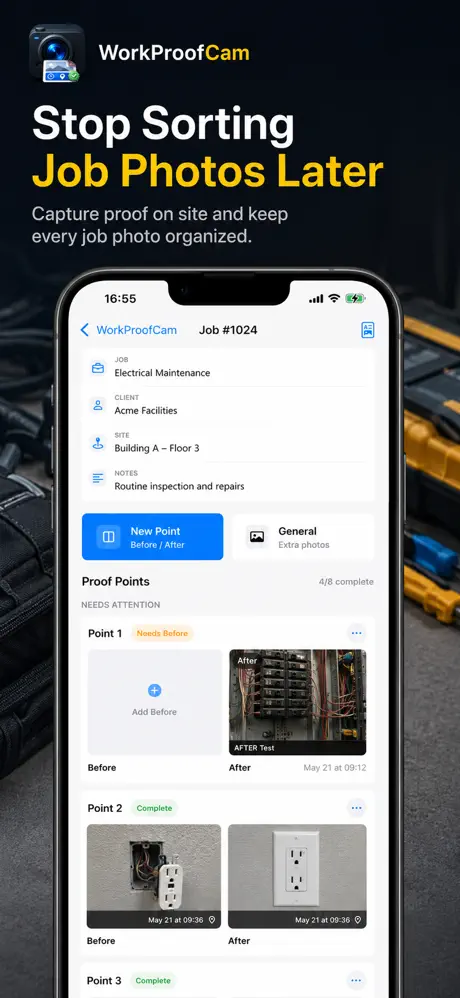
Keep the photo and its job context together

WorkProofCam is built for solo contractors, installers, cleaners, maintenance providers, inspectors, and field-service professionals who need a clear record of completed work.

Organize

Stop searching a mixed camera roll

Keep job titles, client and site names, notes, and proof labels attached to the photos they describe.

Document

Show what changed

Group before, after, and general proof photos so the work sequence is easier for a client or manager to review.

Share

Send one readable PDF

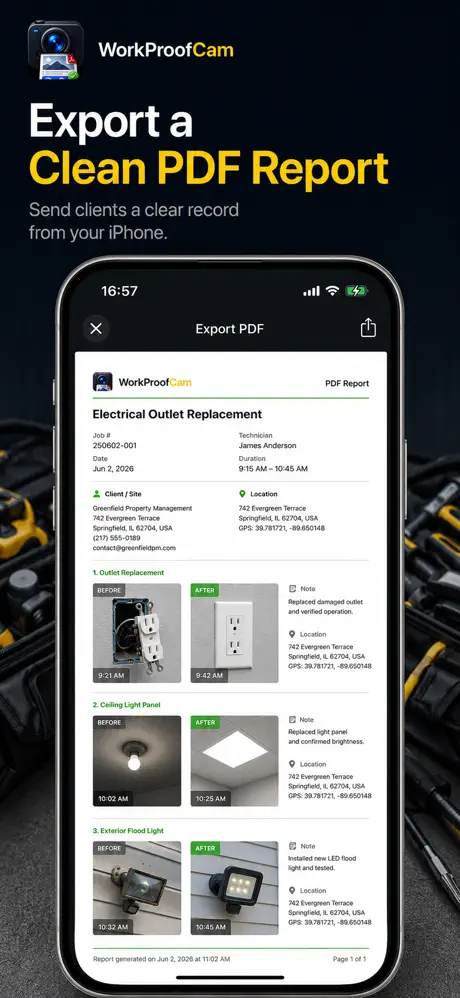
Turn the local job record into a photo report you can review and share through the standard iOS share sheet.

From job setup to PDF in four steps

The workflow stays focused on capture, context, review, and export.

  1. 01

    Create the job

    Add the job, client, site, and notes you want available when you build the report.

  2. 02

    Capture proof on site

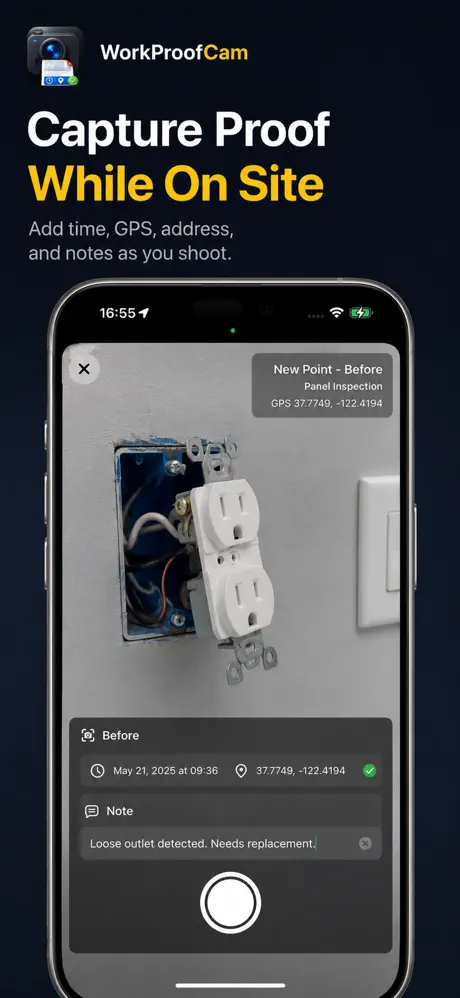
    Label photos as before, after, or general proof and add optional location context when permission is granted.

  3. 03

    Review the record

    Check the photos, notes, timestamps, coordinates, and best-effort address before relying on or sharing them.

  4. 04

    Export the report

    Generate a PDF and choose where it goes using Mail, Files, AirDrop, Messages, or another iOS destination.

See the field workflow

These images come from the current official App Store screenshot set.

A focused tool, not a field-management platform

WorkProofCam fits simple proof-photo reporting. It does not require your team to adopt a new backend system.

Best fit

You need a repeatable photo-to-report workflow

  • Contractor before-and-after documentation
  • Cleaning, repair, maintenance, or installation proof
  • Inspection and service-visit photo summaries
  • A client-facing PDF created from an iPhone
Not designed for

You need multi-user cloud operations

  • Live team collaboration or dispatch
  • Cloud-hosted project dashboards
  • Automatic proof verification
  • Guaranteed legal, insurance, or audit acceptance

Choose the workflow you need

Use these focused guides to evaluate job-site reporting, before-and-after proof, or the local-first storage model.

Local-first job content

Your job records are not a cloud collaboration feed.

Jobs, proof photos, notes, and generated reports are designed to stay on your device. WorkProofCam does not require an account and does not provide cloud sync in the current version.

Firebase Analytics and Crashlytics may process technical usage and diagnostic information to measure app flows and diagnose crashes. They are not used to upload job records, client or site names, proof photos, report notes, precise job coordinates, addresses, or PDF report content.

Read the complete privacy policy →

Questions before you download

Is WorkProofCam only for contractors?

No. It is useful for cleaning, inspections, repairs, installations, maintenance, and other field visits where photos and notes need to become a clear report.

Does the app upload my job photos?

WorkProofCam is designed to keep job content local. Your report or photos leave the app when you choose a destination through an iOS sharing flow. Technical analytics and crash diagnostics are described separately in the privacy policy.

Do I need a subscription?

No. The app is free to download, and the optional Pro upgrade is offered as a one-time in-app purchase.

Does a timestamp or GPS value guarantee legal proof?

No. Device time, location, and reverse-geocoded addresses can be unavailable or inaccurate. Review every report and confirm it meets the requirements of your client, employer, insurer, contract, or jurisdiction.

Capture now. Sort less later.

Build your next job photo report on iPhone.

Download WorkProofCam free and keep the full capture-to-PDF workflow with the job.

Download WorkProofCam